Save a workout plan
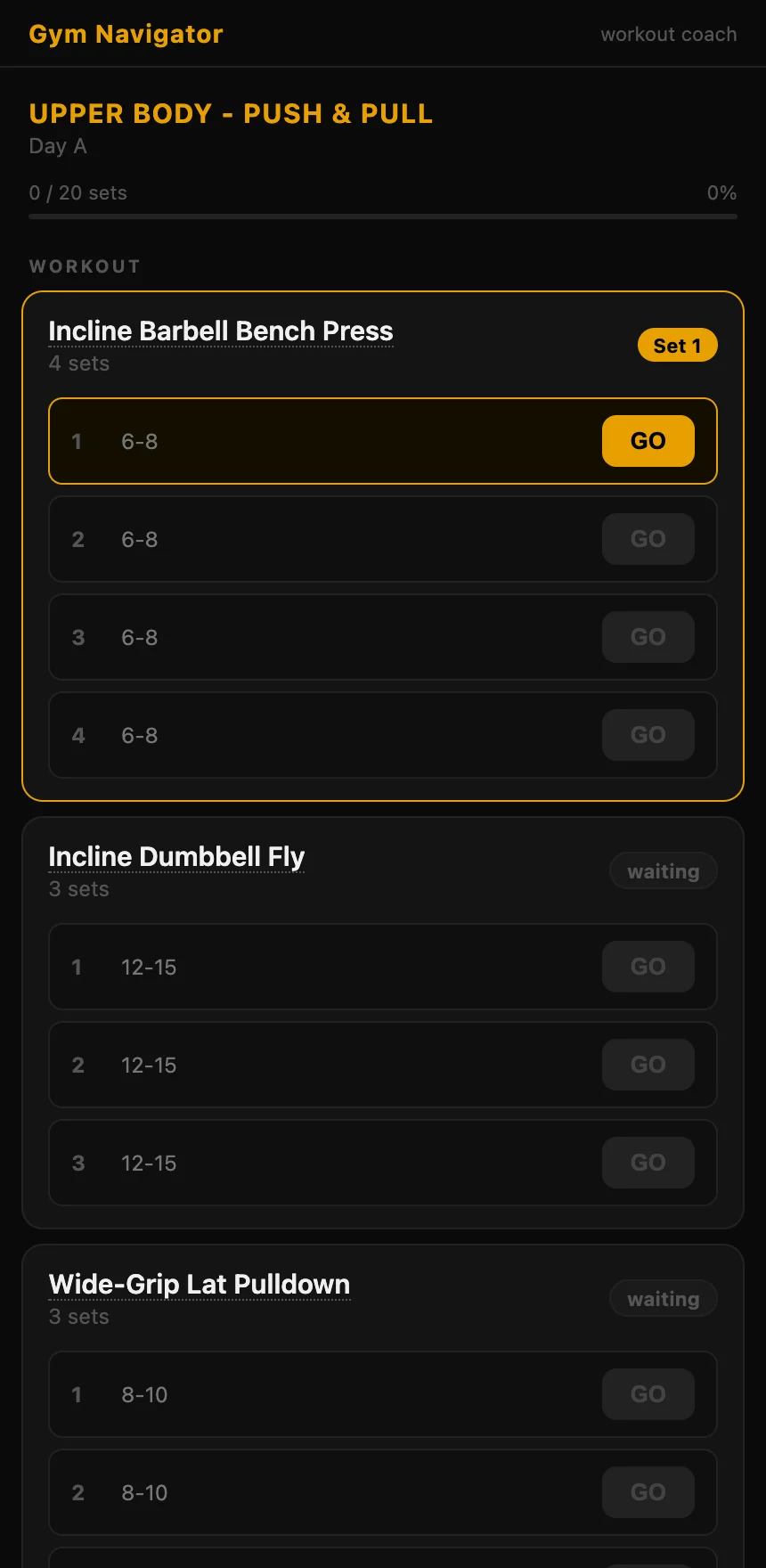
This is the one that surprises people. The coach designs a session, then saves it and hands you a gymnavigator.com/plan/ link. That page isn't a static list, it's an interactive timer that walks you through the workout set by set, counts your rest, and logs your reps and weight. At the end it spits out a summary you paste back so the assistant can log it.
save_workout_planWhat it does
- Saves a structured workout (blocks, supersets, sets, targets, rest) the assistant designed.
- Returns a plan link that runs as an interactive timer, set by set, with rest countdowns.
- Produces an end-of-session summary you paste back so the coach can log the workout for you.
Example prompts
You don't call the tool yourself. You just ask, in plain language, and your assistant works out the rest. Here's what that looks like:
Build me a 45-minute dumbbell-only full-body workout and save it.
The coach designs the session, calls save_workout_plan, and gives you a plan link. Open it and a timer runs the whole workout for you.
Make me a quick 20-minute core finisher I can run on my phone.
It builds a short block, saves it, and returns the interactive timer link, ready on mobile.
Inputs
For the curious, here's what the assistant fills in behind the scenes when it callssave_workout_plan:
titlerequirede.g. "Home workout" or "Upper A".subtitleoptionalDay or date descriptor, e.g. "Wed - Day A".equipmentoptionalEquipment line, e.g. "dumbbells 2x10kg, mat".blocksrequiredThe blocks and supersets, each with exercises, sets, targets, and rest.Works in
This tool runs in any chat with the connector added:
Pairs well with
Every coach tool
Not connected yet?
Add the connector to your chat and try the prompts above.
https://coach.gymnavigator.com/mcp